
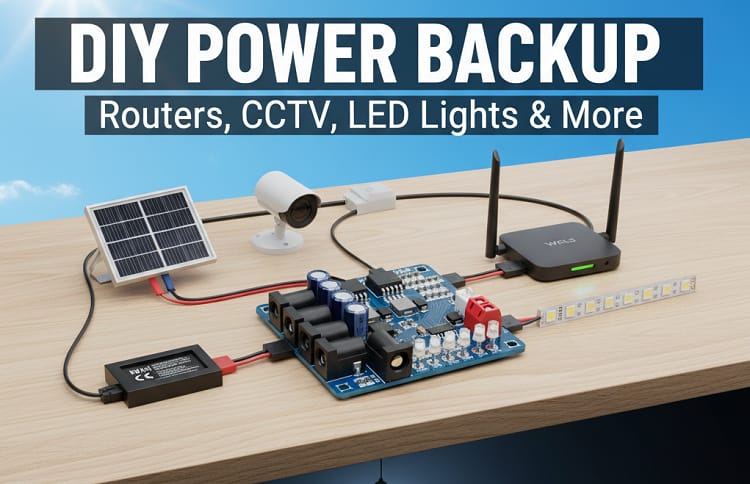
Explore the Mini Router UPS Board 40W V2.6 a compact DC UPS module designed for reliable power backup for WiFi router and modems. Learn its working principle, circuit diagram, and applications with clear voltage, current, and protection features explained.
Introduction
The Mini Router UPS Board 40W V2.6 is a compact and efficient DC UPS module designed to provide uninterrupted power backup for WiFi router and networking devices. This innovative board ensures continuous DC power supply during sudden power failures, keeping the internet connection active. Its smart design, precision components, and advanced protection features make it ideal for both DIY enthusiasts and professional electronics engineers.
Unlike traditional UPS systems that rely on bulky AC conversion, this Mini Router UPS Board 40W V2.6 operates directly in DC mode, which improves efficiency and reduces energy loss. With support for multiple output ports, it can simultaneously power several devices at different voltage levels, including 12V, 9V, and 5V outputs — all controlled with precision.
Key Features of the Mini Router UPS Board V2.6

Supports maximum output of 47.5W with 99% conversion accuracy
Multiple output ports:
Port 1 – 12V 1.5A
Port 2 – 12V 1.5A
Port 3 – 9V 2A
Port 4 – 5V 2A
Input power: 12.6V–13.0V (2A–5A)
Battery percentage indicators: 100%, 75%, 50%, 25%
Built-in short circuit, high voltage, and polarity protection
Output voltage tolerance: ±0.05V
Thunder protection for enhanced safety
Supports 11.1V (3S Li-ion 18650 battery) with a full charge voltage of 12.6V and low voltage cutoff at 10.5V
Fully SMD-based components for compact and efficient design
This configuration allows stable power supply to routers, modems, and small devices, even under fluctuating voltage conditions.
Circuit Explanation
The Mini Router UPS Board 40W V2.6 circuit is designed around a DC to DC converter circuit and a battery management system (BMS). It primarily uses 18650 lithium battery cells arranged in a 3S configuration to achieve an operating voltage of 11.1V.
The input adapter supplies around 12.6V to the board, which charges the battery through an intelligent charging module with overcharge and discharge protection.
When the main power supply fails, the battery seamlessly provides backup power through MOSFET-based switching circuitry, ensuring uninterrupted DC output to the connected router or modem.
Main functional blocks include:
Power Input Section: Accepts 12.6V–13.0V DC input, controlled through a reverse polarity protection circuit.
Charging Section: Includes the DC UPS board with overcharge protection, responsible for maintaining battery health.
Output Regulation Section: Uses precision DC converters to maintain constant output voltage on multiple ports (5V, 9V, and 12V).
Battery Monitoring Section: LED indicators display the battery percentage levels (100%, 75%, 50%, and 25%).
Protection Circuitry: Features short circuit, high voltage, thunder, and reverse polarity protection.
This design ensures that the Router UPS circuit diagram maintains stability and long life even under variable loads.
Materials
| No. | Component Name | Specification | Quantity | Buy Link |
|---|---|---|---|---|
| 1 | Mini Router UPS Board | 40W V2.6 | 1 | Buy on AliExpress |
| 2 | 18650 Lithium Battery | 3.7V, 2000mAh–3000mAh | 3 | Buy on AliExpress |
| 3 | DC Power Adapter | 12V 3A | 1 | Buy on AliExpress |
| 4 | Male DC Jack | 5.5mm x 2.1mm | 2 | Buy on AliExpress |
| 5 | Heat Shrink Tubing | – | As needed | Buy on AliExpress |
| 6 | Indicator LEDs | 3mm (Red, Green, Blue) | 4 | Buy on AliExpress |
| 7 | Wire Connectors | JST or Dupont | As needed | Buy on AliExpress |
Mini Router UPS Working Principle
The Mini Router UPS working principle revolves around seamless switching between input and battery power sources. When the main adapter is connected, the circuit charges the battery while simultaneously powering the output devices.
If the input voltage drops or the power fails, the board instantly switches to battery mode, allowing uninterrupted operation without delay. This smart power backup for WiFi router ensures your network remains online even during extended outages.
The board’s Battery management system (BMS) prevents damage from overcharging and over-discharging, while MOSFETs manage switching operations to ensure minimal voltage drop.
Step-by-Step Guide
Step 1. Gather all components
Collect the Mini Router UPS Board 40W V2.6, three 18650 lithium batteries, and a 12V power adapter.
Step 2. Prepare the battery pack
Connect three 18650 cells in series to form an 11.1V (3S) configuration. Ensure correct polarity connections.
Step 3. Connect the battery to the board
Attach the positive and negative terminals to the designated battery pads on the UPS module.
Step 4. Connect the input adapter
Link your DC adapter (12.6V–13V) to the input terminals of the board. The board will begin charging automatically.
Step 5. Test the charging indicators
Check the LED indicators showing the battery charge level (100%, 75%, 50%, 25%).
Step 6. Connect the output load
Attach your router, modem, or WiFi repeater to the relevant output port — either 12V, 9V, or 5V as required.
Step 7. Test the backup functionality
Disconnect the main power adapter and verify that the router continues to receive power backup from the battery.
Step 8. Verify voltage levels
Use a multimeter to confirm output voltage tolerance within ±0.05V. Ensure stable current draw from all ports.
Step 9. Secure connections
Use heat shrink tubing and connectors to protect all wiring from accidental short circuits.
Step 10. Final testing and installation
Mount the setup near your WiFi router, ensuring proper airflow and avoiding metal enclosures.
Applications of the Mini Router UPS Board
The Mini Router UPS Board 40W V2.6 has a wide range of practical applications in home and office environments. It is not just for routers — its stable DC output makes it suitable for multiple low-power devices.
Common applications include:
WiFi routers and modems
CCTV cameras and DVR systems
Smart home IoT devices
Network switches and repeaters
Microcontroller-based projects (Arduino, ESP32)
DIY power backup projects
Telecom and networking setups
This board is particularly useful for users who need continuous power for network devices during short or long power interruptions.
Why Choose the Mini Router UPS Board 40W V2.6?
Choosing this Mini UPS module for modem and router systems offers several technical and convenience benefits:
Compact Design: Fully SMD-based for portability and high efficiency.
Advanced Safety: Multiple protection layers ensure safe operation.
Thunder Protection: Keeps connected devices safe during voltage surges.
Stable Output: Maintains consistent voltage and current levels.
High Efficiency: 99% conversion accuracy minimizes power loss.
Versatility: Multiple output options for various devices.
Reliable BMS: Built-in overcharge and discharge protection extends battery life.
Simple Installation: Plug-and-play design suits beginners and professionals.
This makes the Mini Router UPS Board 40W V2.6 circuit a reliable solution for anyone seeking efficient power failure protection and uninterrupted internet connectivity.
Router UPS Circuit Diagram and Performance
The Router UPS circuit diagram shows a hybrid connection between the input power supply, battery, and output ports, coordinated through the BMS and converter circuit.
Performance testing under a 12V router UPS setup reveals that the system can deliver up to 47.5W total with negligible losses. During discharge cycles, voltage stability is maintained, ensuring continuous device operation for several hours, depending on the battery capacity used.
Engineers appreciate the balance of efficiency, compactness, and safety features that make this 40W UPS power supply module ideal for embedded and networking systems.
UPS Module Testing and Setup
Before deployment, it’s recommended to perform the following UPS module testing and setup procedures:
Measure input voltage from the adapter (should be 12.6V–13V).
Verify charging current within the 2A–5A range.
Test output voltages under various load conditions (5V, 9V, 12V).
Ensure LED indicators work properly for battery levels.
Simulate power loss to confirm automatic switchover to battery mode.
Confirm protection circuits activate correctly in reverse polarity or overcurrent situations.
This ensures maximum reliability and safety before continuous operation.
People Also Ask
Q1. What is a mini UPS?
A mini UPS is a DC power backup module designed to provide short-term backup during power outages, especially for routers and modems.
Q2. What is a UPS PCB?
A UPS PCB is a printed circuit board that integrates charging, battery management, and output regulation for uninterruptible power supply systems.
Q3. How much UPS price in Pakistan?
The price of a Mini Router UPS Board 40W V2.6 in Pakistan ranges between Rs. 2,000 to Rs. 3,500 depending on quality and brand.
Q4. Which UPS gives 6 hours backup?
A DC UPS for WiFi router using high-capacity 18650 lithium batteries (e.g., 3000mAh or more) can deliver up to 6 hours of backup, depending on load current.
Related Articles on SekhoHub.online
Conclusion
The Mini Router UPS Board 40W V2.6 is an essential tool for anyone looking to maintain continuous power for network devices during power interruptions. Its advanced DC UPS module design, intelligent charging and protection systems, and high voltage accuracy make it an ideal choice for both home users and engineers.
Its compact board design ensures easy integration with various devices, while the 40W UPS power supply module guarantees efficient and safe operation.
With proper testing, setup, and regular maintenance, this small yet powerful router UPS 12V backup circuit can deliver years of reliable service.