
Introduction
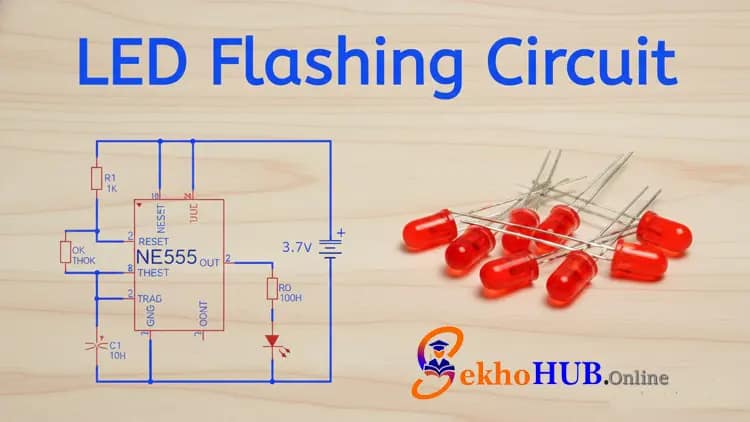
The Simple LED Flasher Circuit Using 555 Timer is a basic and widely used electronics project perfect for beginners and hobbyists. This circuit demonstrates the versatility of the 555 Timer IC in astable mode, producing a continuous ON/OFF blinking of an LED. By adjusting the resistor and capacitor values, you can control the flashing rate easily. It’s a practical way to understand timing circuits and learn about pulse generation in electronics.
This project also introduces basic concepts like current flow, voltage, and frequency control, making it a foundational learning tool for anyone interested in electronics experimentation and DIY projects.
How the Circuit Works
The NE555 timer is configured in astable mode, meaning it continuously switches between HIGH and LOW states.
When the capacitor charges through the resistor network, the output goes HIGH, turning the LED ON.
When the capacitor discharges, the output goes LOW, turning the LED OFF.
This repeated cycle results in a flashing LED.
The frequency depends on resistor values and capacitor size.
Components Required
Circuit Diagram Explanation
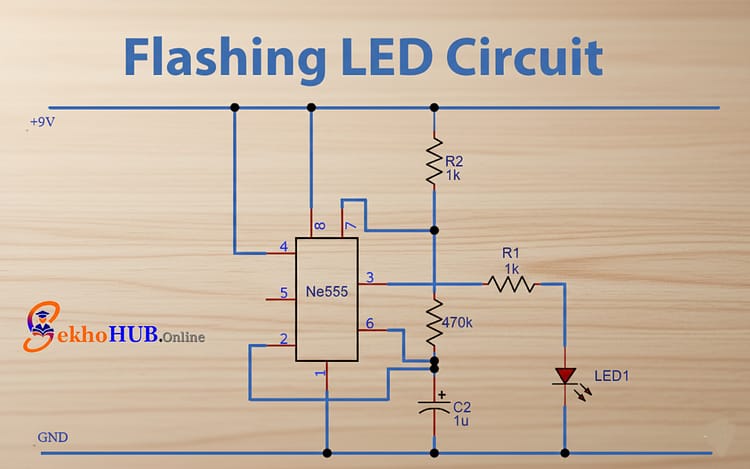
Pin 1 (GND) is tied to the battery negative.
Pin 8 (VCC) receives +9V from the battery.
Pin 4 (RESET) is tied to Pin 8 to avoid accidental reset.
Pins 2 and 6 are shorted to form the threshold-trigger pair for astable operation.
Pin 7 handles charging/discharging of the timing capacitor through resistors.
Pin 3 provides the oscillating signal that drives the LED.
Step-by-Step Build Guide
Step 1.
Place the NE555 timer IC on the breadboard with the notch facing upward.
Step 2.
Connect Pin 8 to the +9V terminal of the battery.
Step 3.
Connect Pin 1 to the battery GND.
Step 4.
Use a jumper wire to short Pin 6 and Pin 2.
Step 5.
Use another jumper wire to connect Pin 4 to Pin 8.
Step 6.
Connect the 470K resistor from Pin 7 to VCC.
Step 7.
Insert the 1µF capacitor between Pin 2/6 and GND.
Step 8.
Connect a 1K resistor from Pin 3 to the LED anode. LED cathode goes to GND.
Step 9.
Attach the 9V battery and switch ON the supply to test the blinking LED.
Troubleshooting Tips
If the LED stays ON continuously, check the wiring between PIN 2 & PIN 6.
If the LED doesn’t turn ON, verify polarity of the capacitor.
Ensure proper ground connections across the breadboard rails.
Applications
LED indicators
Clock pulse generation
Timing circuits
Basic waveform generation
Training kits for electronics learning
FAQs
How to make a LED flasher circuit?
Connect a 555 Timer IC in astable mode with resistors, a capacitor, and an LED to make it blink continuously.
How does a LED flasher circuit work?
It works by charging and discharging a capacitor through the 555 Timer, turning the LED ON and OFF repeatedly.
What is the 555 timer on a LED flasher circuit?
The 555 Timer IC acts as an astable multivibrator to generate timed pulses for blinking the LED.
How to create a simple LED circuit?
Use a power source, resistor, and LED in series, or add a 555 Timer for blinking functionality.
What components are needed for an LED flasher?
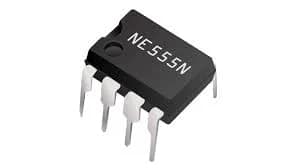
A 555 Timer IC, resistors, capacitor, LED, and connecting wires are required.